


novaPDF SDK
Pre-processing PDF solutionnovaPDF
Not a developer?About novaPDF SDK
Short overview of novaPDF SDK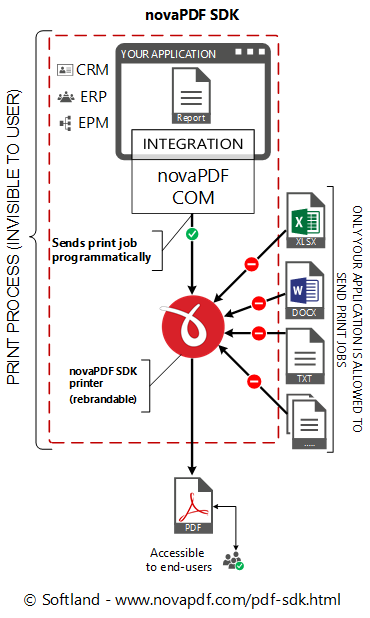
novaPDF SDK Developer includes a COM interface to programmatically control the novaPDF SDK printer options and also a Customization tool that lets you configure the novaPDF SDK printer distribution.
It also comes with documentation including several code samples (ASP.NET, C#, CPlusPlus, Delphi, Java, Ms Access, Visual Basic, VBNet) and the novaPDF SDK printer that you have to distribute with royalty free licensing. Can be rebranded for an additional fee.
Details regarding novaPDF SDK Developer:
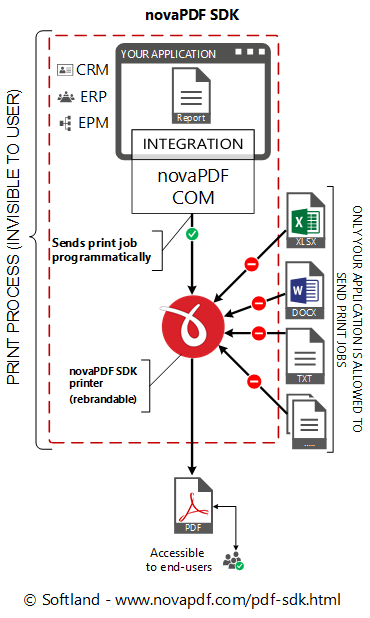
- A COM object has to be integrated into your application. novaPDF SDK works with most programming languages (C/CPlusPlus/C#, Visual C, Delphi, Visual Basic, ASP.NET, Java ...).
- It is mandatory to distribute the novaPDF SDK printer in your application's setup. This is done under royalty free licensing (you only pay for the SDK license).
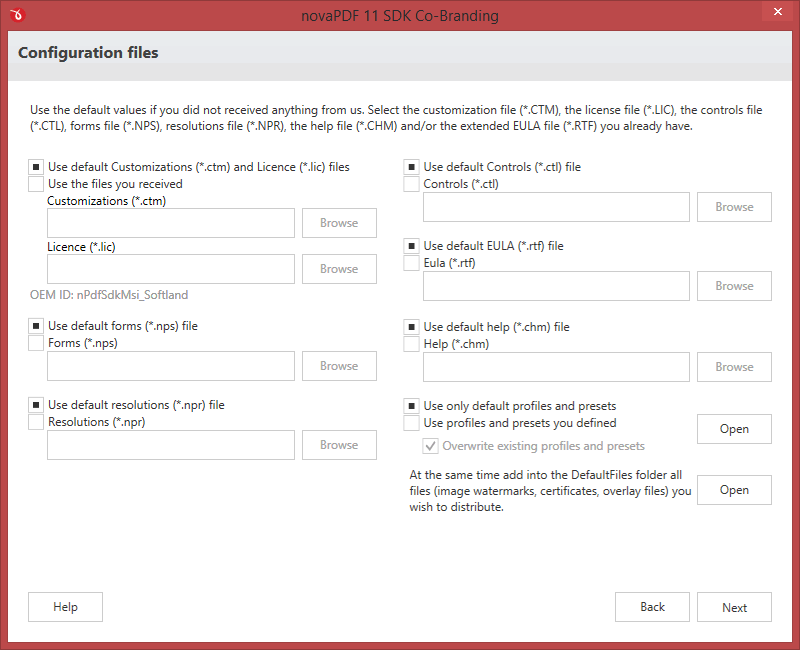
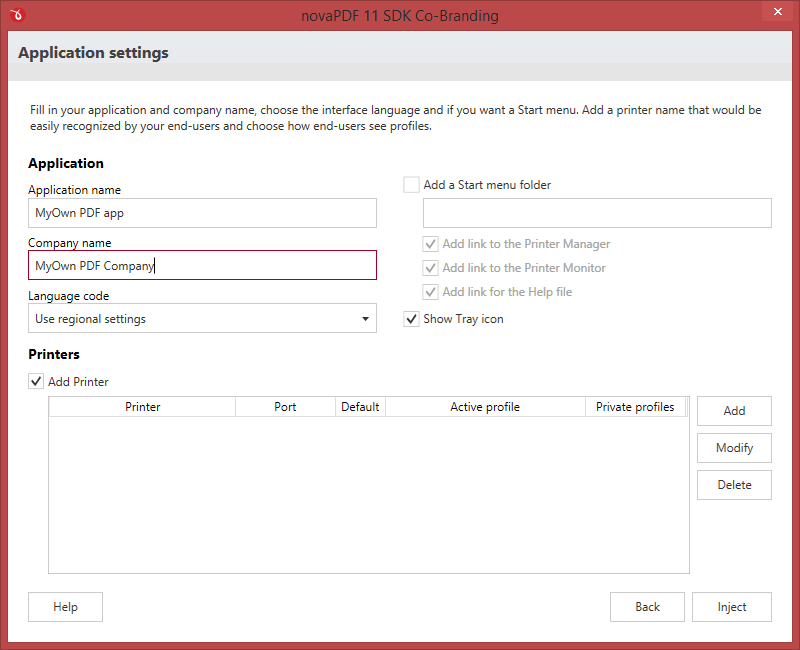
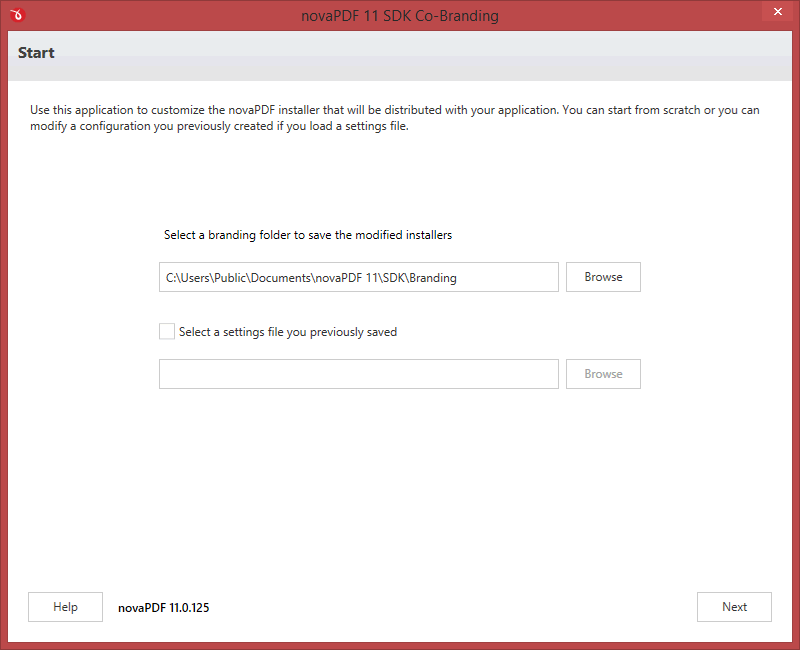
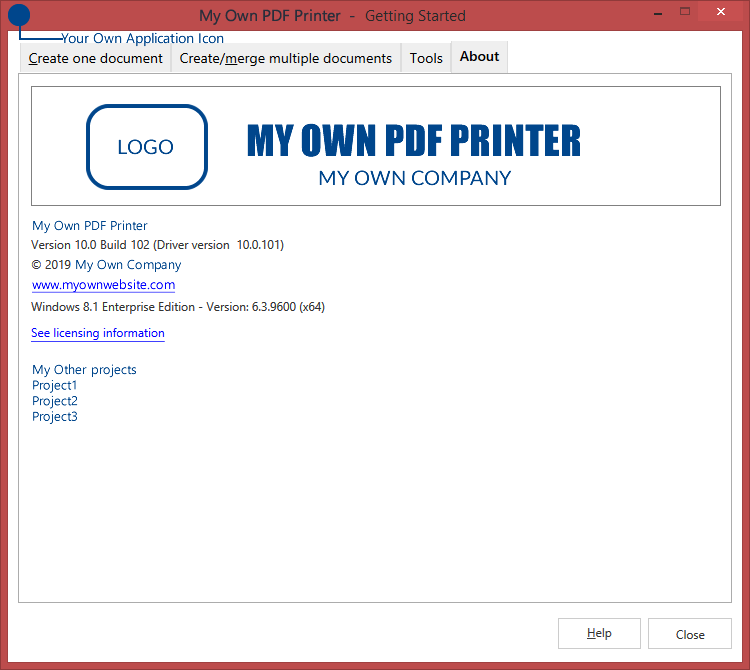
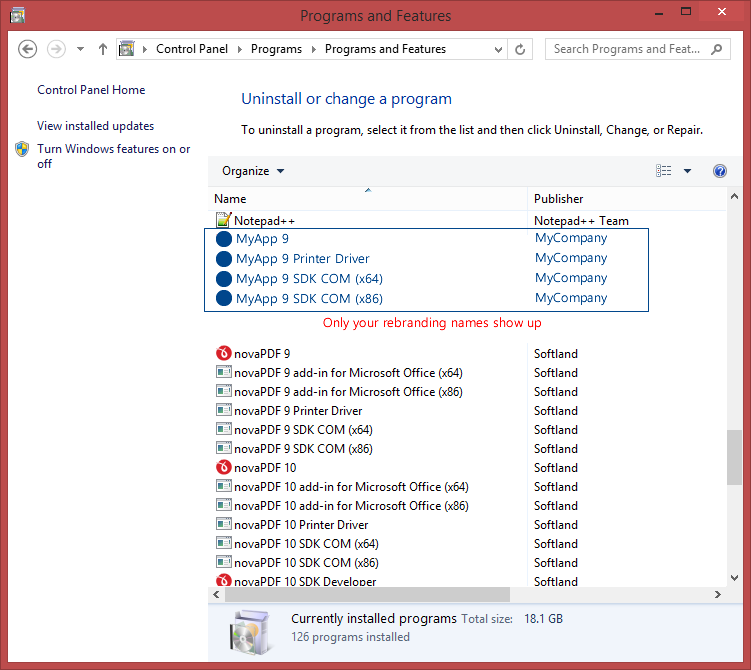
- novaPDF SDK can be fully rebranded so end-users will not see the novaPDF brand at all (rebranding is optional and requires an additional payment).
- You can integrate it without ordering and purchase a license only after you have fully tested it. When unlicensed a watermark will be added to all PDFs created with it.
- The licensed novaPDF SDK (COM object) lets users create PDFs without the watermark only from your application, not by printing directly to the printer.
- Your end-users can access the resulting PDF files as they wish.
- You are not allowed to develop a PDF creator using novaPDF SDK. Your application must have additional relevant functionality.
Main features
Why you should use it in your appEasy to integrate
A COM object has to be integrated into your application. novaPDF SDK works with most programming languages (C/Cplusplus/C#, Visual C, Delphi, Visual Basic, ASP.NET, VB.Net, Java ...).
Rebrandable
novaPDF SDK can be fully rebranded so end-users will not see the novaPDF brand at all. This is an optional step and requires additional payment.
Free to try
novaPDF SDK can be integrated without purchasing a license so that you can fully test it before buying. When it is unlicensed, a watermark will be added to all created PDFs.
Code samples
novaPDF SDK comes with detailed documentation that shows how to integrate and use. It also includes multiple code samples for easier integration (ASP.NET, C#, Cplusplus, Delphi, Java, Ms Access, Visual Basic, VBNet).
Royalty free licensing
It is mandatory to distribute the novaPDF SDK printer in the application's setup. This is done under royalty free licensing, so developers only pay for the SDK license no matter the distribution quantity.
End-user access to PDFs
novaPDF SDK is a pre-processing PDF tool, thus the resulting PDF files can be accessed directly by your application's end users. They cannot print directly to the SDK printer, however resulting PDFs are accessible to them.
Version history
Stay up to date with the latest changesHave an older version? See changelogs below: