Converting publications created with Microsoft Publisher to PDF is easily done by installing a program that does the actual PDF conversion, called a virtual PDF printer. If you don't have a PDF printer installed, use the Download page to download and install novaPDF.
On this page:
- Save as PDF from Publisher using the novaPDF add-in
- Print to PDF from Publisher using a virtual PDF printer
- How to print multiple publications to a single sheet PDF
Microsoft Office Publisher is a desktop publishing application that allows creating publications for print or web. Once you have finished designing the publication most likely you will need to send it for review, share it with your team or send it to be physically printed. By default Publisher creates .PUB files, and those can be opened only if the recipient has Publisher installed too, a problem that can be easily overcome by converting the publication to a PDF.
Document sharing is easier using PDF files, because the recipient does not need to have Publisher installed in order to open the PDF. It is also multi-platform, the same PDF can be opened both on Windows and Mac powered systems), and by converting it the original design of the publication remains unaltered (fonts can be embedded in the PDF). Other advantages sharing your publication as a PDF has over PUB: you can require a password in order to open the PDF, restrict it from being altered, disallow printing it (or only high resolution printing) or copy/paste text from it. The latest novaPDF version also features a Publisher add-in, allowing users to print publications to PDF directly from the Publisher interface by clicking the “Save As PDF” button.
Save as PDF from Publisher using the novaPDF add-in
You can convert your publication to a PDF document by either using the add-in from the Publisher interface or the virtual PDF Printer. A great advantage when using the add-in for printing is that hidden hyperlinks from your publication are also converted in the resulting PDF. Another useful feature is the Microsoft Office links management section, accessible by going to Settings > Links tab. To convert the PUB file to PDF with the novaPDF add-in:
- Download novaPDF and install it on your computer from our Download page.
- Open the publication in the Microsoft Office Publisher.
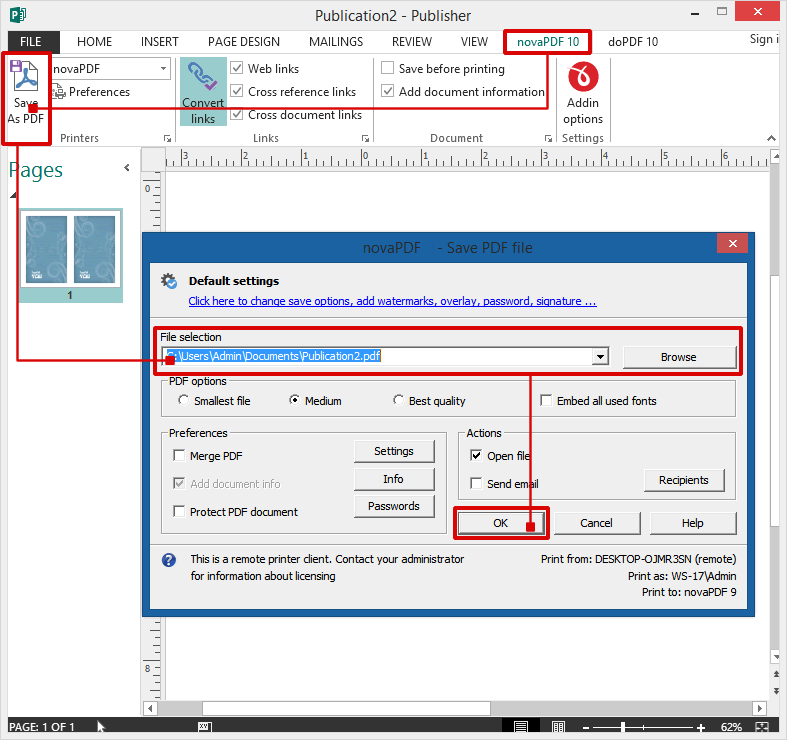
- Click the novaPDF tab from the Publisher toolbar to access specific add-in options.
- Press “Save As PDF” and in the “Save PDF File As” dialog, select where you want to save your PDF.
Print to PDF from Publisher using a virtual PDF printer
To convert your Microsoft Office Publisher document to a PDF file:
- Open Microsoft Office Publisher and go to File->Open (or press Ctrl+O), browse for the publication you want converted to PDF and open it.
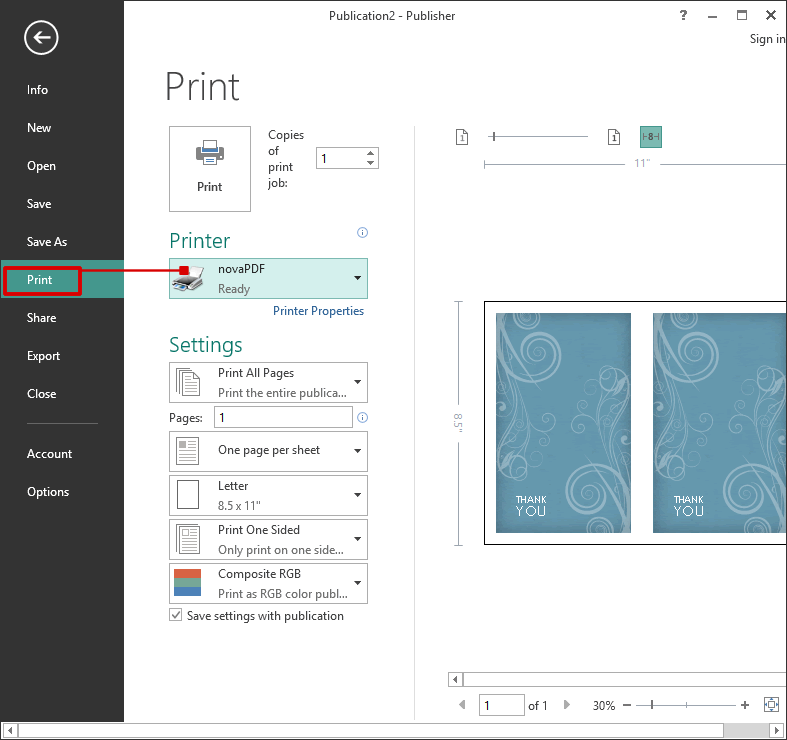
- Go to File->Print (or press Ctrl+P) and in the Printer section choose novaPDF as the Printer. In this section you can also set paper settings (source, size and orientation) and preview the printed file.
- Before creating the PDF file you can adjust novaPDF's settings by using the Printer Properties button (for instance adding document information, using auto-save options, embedding fonts).
- Click on Print and choose a location where you want the PDF file saved. After the PDF document is created it will be automatically opened in the default PDF viewer.
How to print multiple publications to a single sheet PDF
Publisher has an option that allows printing a publication several times on a single sheet (this option is available only when the publication is a business card, postcard or index card). To have the same publication printed several times in a single PDF file:
- Open the publication you want converted to a PDF file.
- Go to File->Print and select novaPDF from the Printers list.
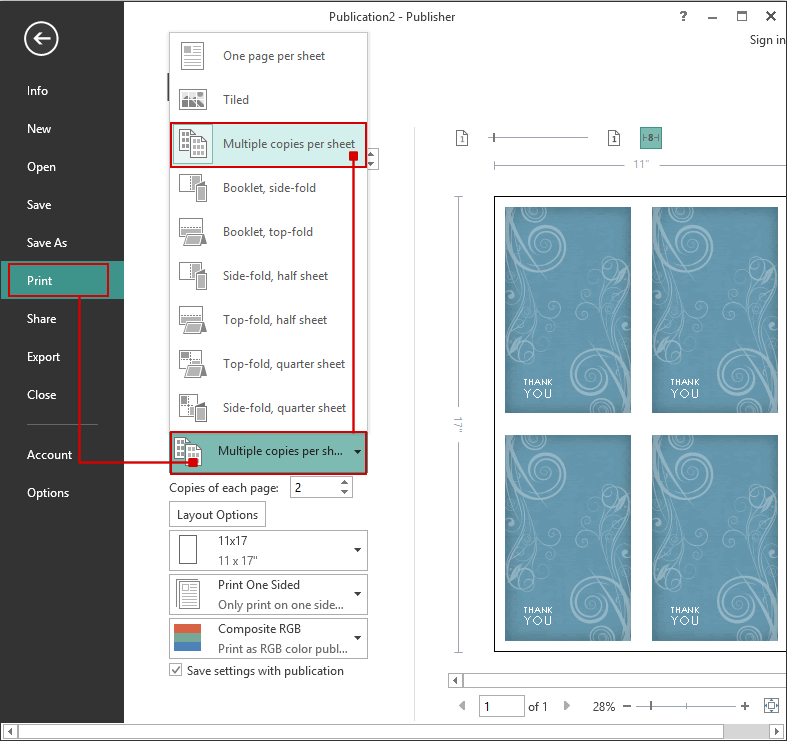
- Click on the One page per Sheet button and in the available dropdown list choose Multiple copies per sheet.
- Click on Print and select a location where to save the PDF.