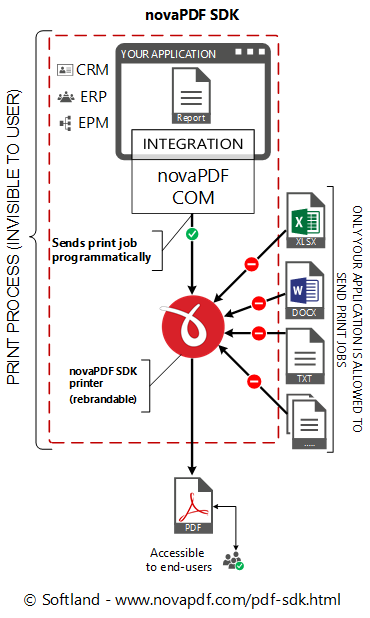
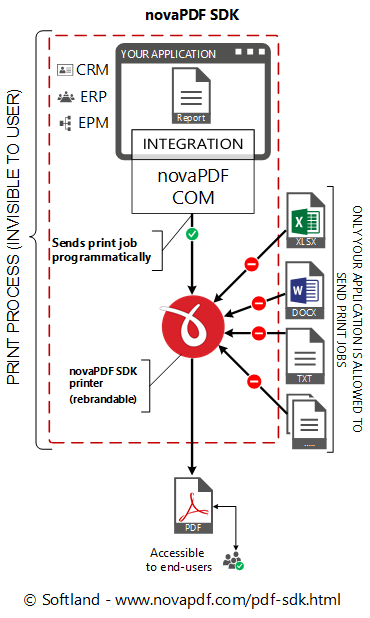
novaPDF SDK is a PDF software development kit that programmers can use to add the ability to create PDF files in their own applications. As a COM Object, novaPDF SDK can be integrated in any Windows 2000/XP/2003 Server/2008 Server/Vista (32-bit and 64-bit)/Windows 7 application programmed in a language that supports COM Objects (C/C++/C#, Visual C, Delphi, Visual Basic ...).
novaPDF SDK is a pre-processing PDF development tool, we also offer a post-processing tool called novaPDF OEM.
novaPDF SDK includes:- a COM interface for customizing novaPDF printer options.
- novaPDF SDK documentation including several code samples (ASP.NET, C#, C++, Delphi, Java, Ms Access, Visual Basic, VBNet)
- novaPDF for SDK printer to distribute (royalty free licensing)
Details regarding novaPDF SDK:
- A COM object has to be integrated into your application. novaPDF SDK works with most programming languages (C/C++/C#, Visual C, Delphi, Visual Basic, ASP.NET, Java ...).
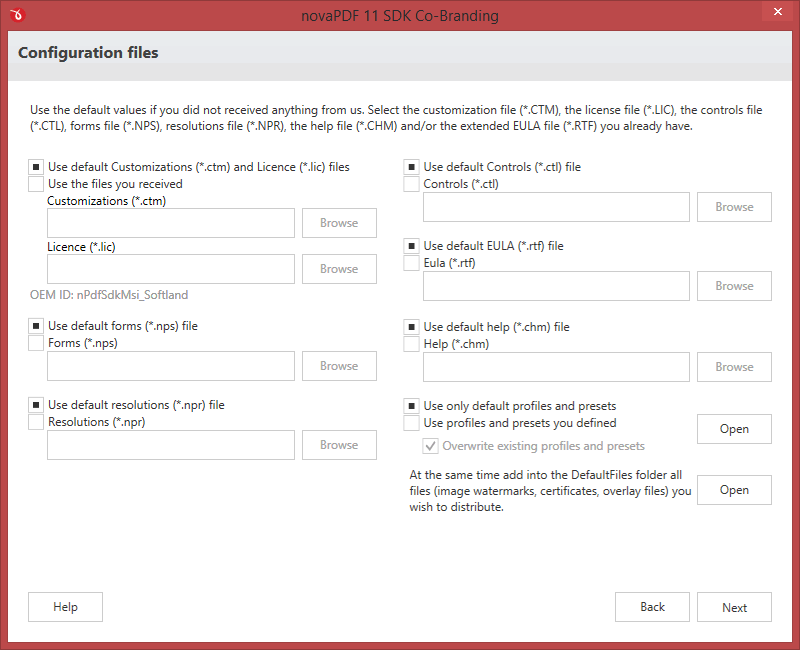
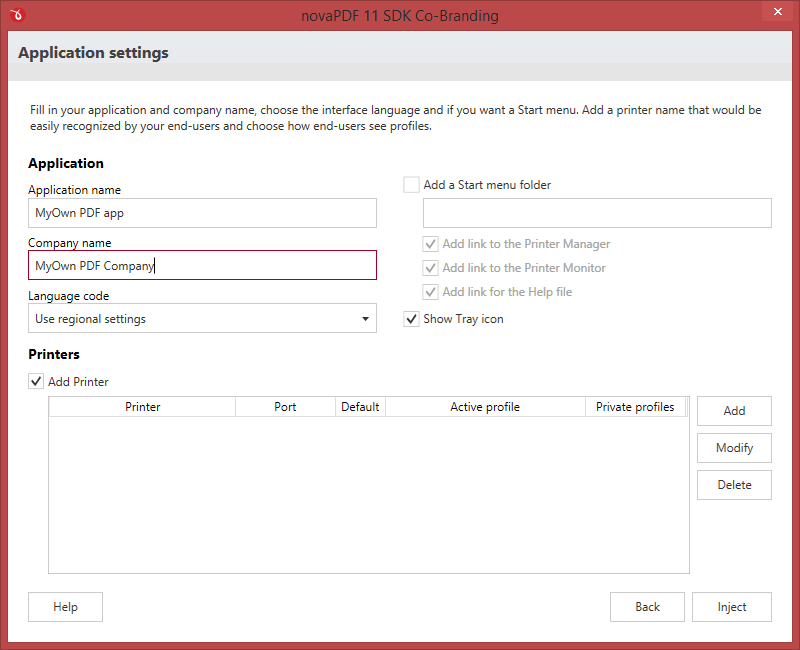
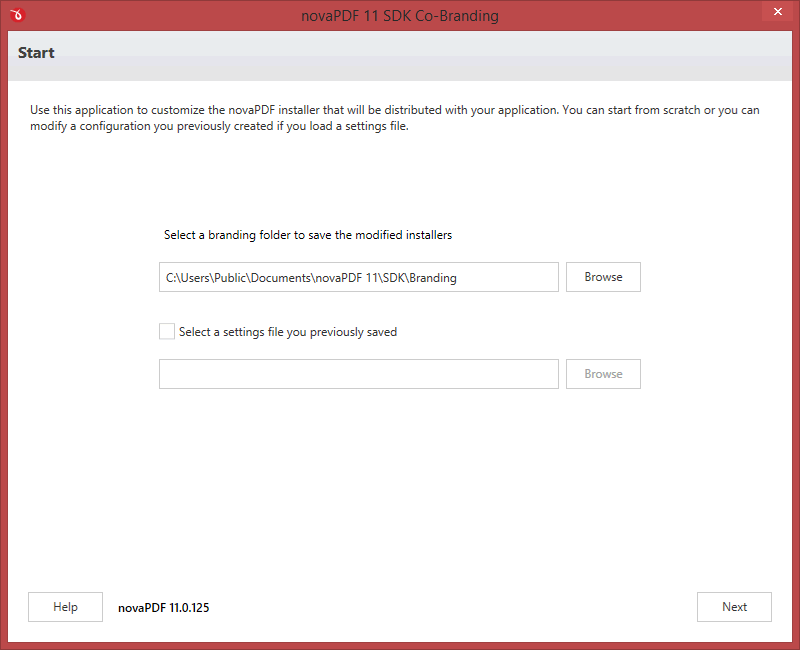
- It is mandatory to distribute the novaPDF for SDK printer in your application's setup. This is done under royalty free licensing (you only pay for the SDK license).
- You can integrate it without ordering, and purchase a license only after you have fully tested it.
- The licensed novaPDF SDK (COM object) lets users create PDFs without the watermark only from your application, not by printing directly to the printer. Registering the COM object does not register the novaPDF for SDK printer.
- If you purchase a license you get free priority support.
Licensing
novaPDF SDK is fully functional with no time limitation. This means that you can download, install, integrate this easy PDF SDK in your application to test and see if it fits your needs, without ordering it. When it is not licensed, the only restriction is that a mention about novaPDF will be printed on each PDF page. For more information on licensing novaPDF SDK, visit the Buy Developer Tools section.Restrictions
You are not allowed to create a PDF printer driver using novaPDF SDK, or another application similar to a PDF printer driver (whose main purpose is to create PDF files). You can integrate and distribute the novaPDF for SDK printer with your application, but registering the COM object does not register the novaPDF for SDK printer. This means that your end-users will be able to create PDFs without the watermark only from your application, not by printing directly to the printer.How to generate PDF file with the PDF SDK
You have to follow next steps for generating PDF files from your software:- install novaPDF for SDK printer on the client machine by using the silent installer provided in the novaPDF SDK.
- customize novaPDF for SDK printer settings using the provided COM interface (for instance set the output file name and folder, document info, …). All registry settings are documented in the PDF SDK manual.
- start a print job from your application and send it to the novaPDF for SDK printer. Your document will be converted to PDF.
- you can also register windows messages to receive the printing events (page finished, document finished, errors, …)
- Code Samples - examples on how to integrate novaPDF SDK with different programming languages
- Knowledge-base - contains articles about specific topics related to novaPDF SDK
- Online Help - an online version of the Help file included in novaPDF SDK
- novaPDF SDK Developer License Agreement and End-User License Agreement
Below you can read a detailed version history (starting with version 6.0) for novaPDF SDK (COM) and novaPDF for SDK (printer).
- Fix: Public profiles couldn't be created via the COM
- Fix: When canceling the Select profile dialog, the print job would still run (printer update)
- Fix: Appending to a PDF with bookmarks, while keeping the Enable Bookmark feature on, resulted in a spooler crash (printer update)
- Fix: Signature generation error for large PDF files (printer update)
- Fix: Crashes occured when creating PDF files with OpenType fonts and embedding those (printer update)
- Update: Changed default high color compression to JPEG (printer update)
- Update: Optimized the size of resulting PDFs after appending (PDF with images) (printer update)
- Update: The add-in for Microsoft Office is by default docked (printer update)
- Update: Optimized the size of resulting PDFs after appending (printer update)
- Fix: Add-in for Excel cancelling processing when errors (printer update)
- Fix: The dll for sending emails was not loaded on Windows 2000 (printer update)
- Fix: Do not hang when printing Word documents with embedded files (printer update)
- Fix: Install even if EnumPorts fails (printer update)
- Fix: Corrected override paper setting from SDK
- New: Add Hebrew language to user interface
- Update: Optimized PDF file size for documents with Asian characters
- Fix: Corrected selection on edit fields on Paper page (when pressing TAB the selection didn't switch correctly)
- Fix: Compatible with Windows 2000 now (didn't work before)
- Fix: Several corrections to the Add-in for Microsoft Office
- Fix: Corrected usage of Default profile on clients when private profiles are not allowed
- Fix: Watermark char "©" on Chinese systems is now printed correctly
- Fix: Append/insert/overlay PDF files with security now work correctly
- Corrected SetOptionEncString
- Corrected ASP.Net sample
- SDK setup - added /UnregisterCOMWhenUninstall parameter for uninstaller
- Updated functions for new 7.1 development (changed watermarks functions and updated globals, samples)
- New: Added visibility layers for watermarks
- New: Added Document Creator option
- New: Added Page Scaling options
- New: Added option to remove PDF after emailing
- New: Added Lithuanian language
- Fix: COM events separate on TS sessions (SessionID)
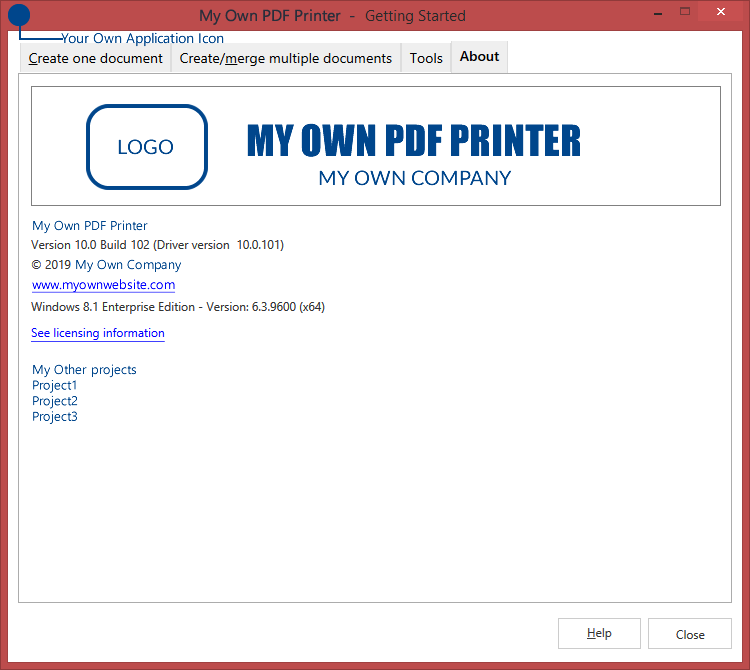
- Fix: Changed About tab for SDK
- Fix: Changed default compression for high color images to zip
- Fix: Rendering corrections (including outlined text)
- Fix: Do not hang printer queue if client is not available (log off)
- Fix: Fixed page orientation from Excel, Word, TextMaker and others on x64
- Fix: Corrected PDF/A namespace
- Fix: Fixed create new predefined form
- Fix: Fixed platform string on About page
- Fix: Corrected font left clipping
- Fix: Fixed /HidePrinterPages
- Fix: Fixed /NoInstallifExists - allow for all editions, not only for SDK
- Fix: Unicode Innosetup - Unicode command line params
- Fix: Use local time instead of system time for creation date and time
- Fix: Do not use lic file in SDK
- Fix: Removed register dialog from Advanced save in SDK
- Fix: Corrected Danish language
- Fix: Updated Korean language
- Fix: If a printer exists with the same name and different driver, gets deleted before install
- New: User interface translated in Malay
- New: User interface translated in Thai
- New: Add Registration-Free COM in C++ "Hello World (network)" sample (SDK)
- Fix: Conversion problem with page orientations in Word documents
- Fix: 0 byte PDF files created when checking rights, now gets deleted and recreated
- Fix: Licensing error mesage
- Fix: Save dialog didn't show on top of other windows on Windows7 x64
- Fix: Crash on Win7 x64 computers in some situations
- New: Added "single computer" restriction to OEM licenses
- New: Added the Signature page for HidePrinterPages parameter
- Fix: Registered succesfully message box showing even if wrong key was entered (x64 computers)
- Fix: Corrected duplicated fonts problem (virtual memory)
- Fix: Solved a problem when printing images from Adobe Viewer
- Fix: Registry handle leak
- New: Added /RegisterCOMVer7
- Fix: Corrected AddWatermarkImage2 parameter order problem
- Fix: Fixed truetype fonts with SO_GLYPHINDEX_TEXTOUT
- Fix: Removed "dual" from COM
- Fix: Bug in signature operation (zero width and height)
- Fix: Fixes for printing on some BitBlt raster operations
- Fix: Unicode problem for symbol fonts (Windings)
- New: Added option to digitally sign PDF files
- New: Type1 fonts are now supported
- New: Added a start page to allow quick access to create PDFs
- New: Fully compatible with Windows 7
- New: COM events are unique for each printer
- New: Added "Allow change folder" option when saving the PDF file
- New: Added options to forcefully embed licensed fonts
- New: Uses local time instead of system time for PDF creation date and time
- New: Added Danish language for the interface
- New: New TypeLib for Delphi
- Update: Moved the Advanced save options on the Profiles edit page
- Fix: Corrected watermarks and bookmarks from SDK
- Fix: Created strong named Interop for COM
- Fix: Corrected bug to keep the resolution set in preferences
- Fix: Crash in spooler (when copying LastBitBlt info in ResetPDEV).
- Fix: Corrected an error when editing email body text (Email page)
- Fix: When printing from Adobe Reader some characters were not converted correctly (music notes)
- Fix: Corrected crash occuring when showing error message box on PDF save
- Fix: Fixed crash occuring when printing from ttf16.ocx (DrvEnablePDEV)
- New: added a new parameter to the WaitForNovaEvent function
- New: novaPDF can create now PDF/A-1b (RGB) compliant PDF files
- Update: Optimized speed for PDF overlay process
- Fix: removed the Register button and register text from the novaPDF for SDK printer
- Fix: Corrected HelloWorld network sample
- Fix: Corrected some crashes in COM when calling Watermark functions
- Fix: Corrected watermark positioning when set up from SDK
- Fix: corrected an error when printing files with big path or file name)
- Fix: Corrected cross-ref-table format (20 bytes)
- Fix: fixed a bug in extended save dialog
- Fix: corrected "Show Save As dialog" option on x64 systems when printing from Win32 applications
- Added "Stay on Top" option for the "Extended Save" and "Select profile" dialog windows
- Added "Security" options in the "Change Options" window (shown when using Extended Save)
- Corrected behavior when printing specific images from Google Chrome (32-bit bitmaps with alpha channel)
- When printing from Crystal Reports the name of the PDF will not include "Crystal Reports - " anymore
- Optimized the PDF merging process (append/insert) for multiple print jobs
- Network sources are now accepted when selecting PDF files to overlay with
- Added ASP.NET and Java samples
- Added a Change Options button on the Advanced Save window that offers shortcuts to setting Document information, Graphics options and Email information
- Added informational page in the start menu group (describes how to create pdf, register novaPDF, and contact options)
- Added silent cancel printing (when pressing cancel from a Save As dialog printing stops immediately without other notices)
- New character allowed in PDF filename (&)
- Fixed image conversion (monochrome, grayscale, downsample) when printing from Internet Explorer
- Corrected append PDF files error on x64 systems
- Fixed crash on Vista x64 when closing Printing Preferences
- Corrected watermark2 functions (string parameters)
- Hide pages for user interface
- Removed global variables
- New licensing (SEED) and updated EULA
- No program group when installing the novaPDF for SDK printer
- Overlay constants in samples, modified printer name