PDF image quality depends on what you need to do with that PDF file. If you need to create a PDF file just to share with others via email or web, then probably you want a smaller file rather than high-quality images. However, when you need print-ready PDFs, you want high-resolution images.
novaPDF allows you to choose what type of PDF to generate from your document, depending on what exactly you need it for. However, as a rule of thumb, if you want to create PDFs with the highest possible image quality, ideally you need to have the original document include high-quality images. You cannot have high-quality images in a PDF file if the original document has low-quality images. Once the original document is ready, simply print it to novaPDF to convert it to a PDF.
With novaPDF you can easily choose what type of PDF to generate from your document:
- Smallest file. As the name suggests, this option is when you want to have a PDF file with the smallest file-size possible. This is obviously for when you need to share it with someone for reviewing purposes or to put it on the web, where size matters.
- Medium. This is a balanced profile between a small PDF size and a high-quality image PDF. This is the default option in novaPDF.
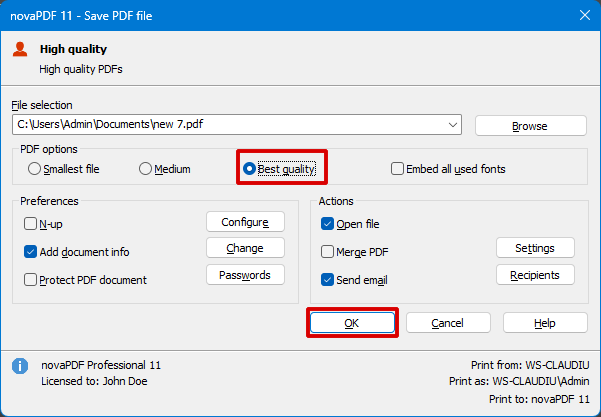
- Best quality. This option is recommended when you need to create print-ready PDF files and want to have the best PDF image quality possible.
How to improve image quality in PDF
Once you have your original document ready, it's very easy to convert it to a PDF with high-quality images using novaPDF.
Here are the steps to convert for example a Word document to PDF with high-quality images:
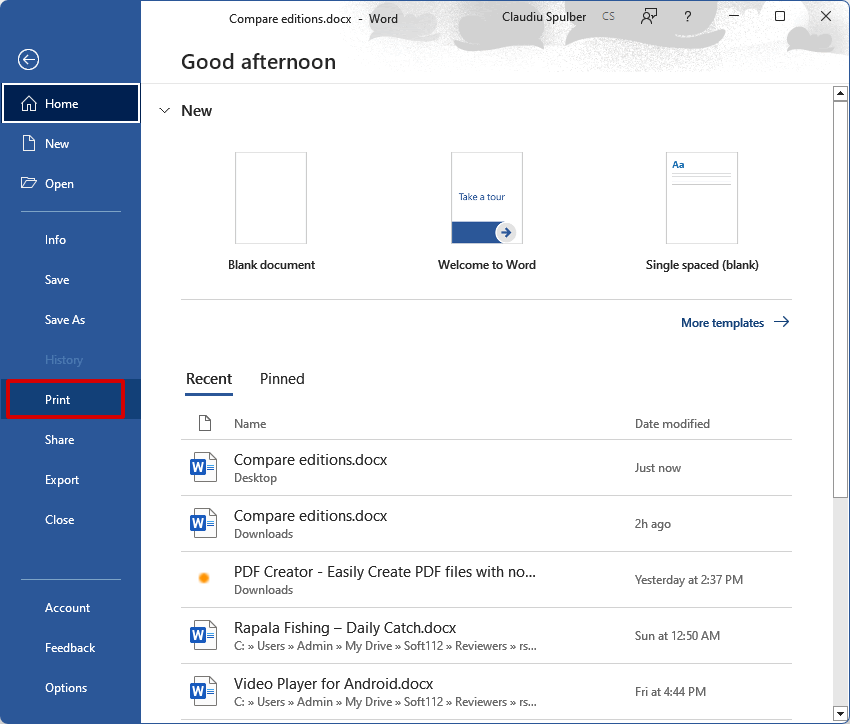
- Open the document in Microsoft Word and click on File->Print.

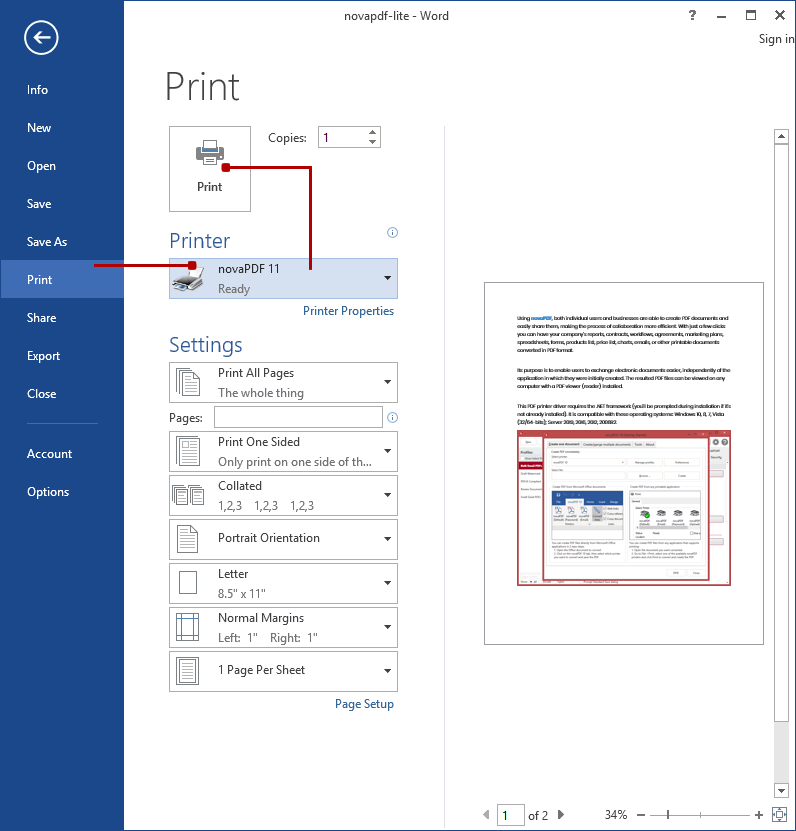
- Select novaPDF from the list of available printers and click on Print.

- In novaPDF's save PDF window, choose Best quality from the print options and click OK to save the PDF.

Optionally, you can improve even more the quality of the images in the resulting PDF file by changing novaPDF's Compress options. To do so, follow these steps:
- Click on the Windows icon and type novaPDF, then open the Getting Started window
- Click on the Manage Profiles button to open Profile Manager
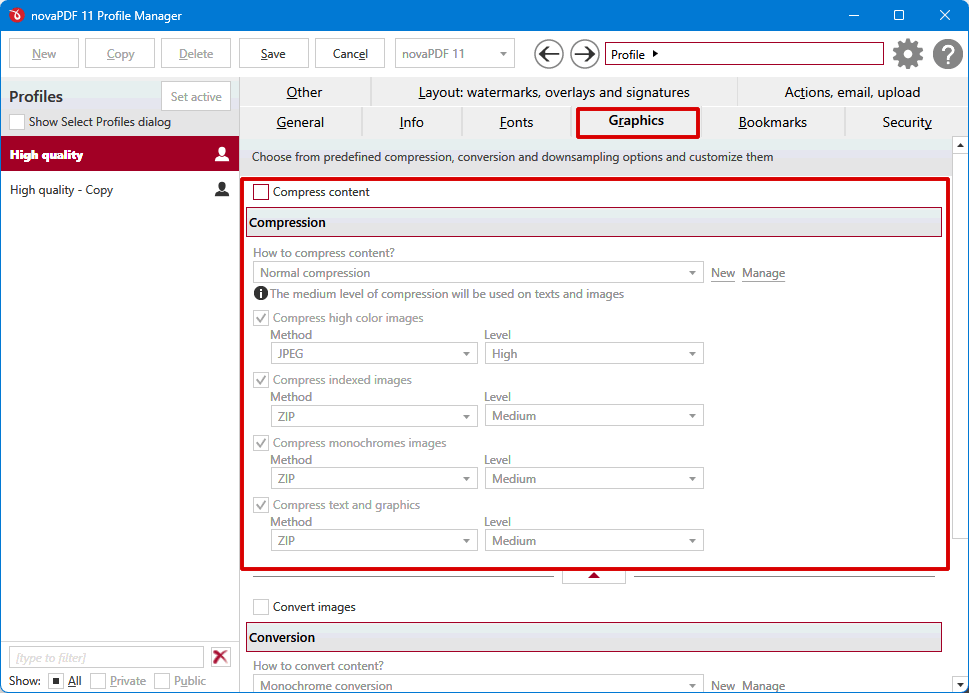
- In Profile Manager, go to the Graphics tab and uncheck the Compress content option (if checked) then save the profile
That's it, everytime you'll use this printing profile from now on, images will not be compressed at all thus the quality of the resulting PDF will be higher.