


This tutorial shows how to create clickable active PDF links using novaPDF. This is a PDF creator that allows generating PDF files from any Windows application that supports printing. If you don't have novaPDF installed, use the Download page to download and install it.
What is a PDF hyperlink?
A hyperlink (active link) is a URL that allows users to jump to a new location when clicking on it. PDF hyperlinks are active links in a PDF file that users can click to easily navigate between pages or open webpages.
Any visible text that starts with "https://", "www", "mailto:", "ftp://", "file://" or telephone number in your original document can be converted to a clickable PDF link if you choose so. Furthermore, using the novaPDF add-in for Office allows you to convert hidden links as well from Office applications (i.e. Microsoft Word, Microsoft Excel, Microsoft PowerPoint, Microsoft Publisher, Microsoft Visio).
How to add PDF hyperlinks using the novaPDF add-in for Office
The easiest way to add hyperlinks to a PDF file from Office documents is by using the novaPDF add-in for Office. The advantage of using the add-in is the fact that hidden hyperlinks (i.e. clickable text) will also be converted. To do the conversion, you must have novaPDF installed - if you don't, you can download it here: Download novaPDF.
Follow these steps to add hyperlinks to a PDF from Office documents:
- Open the Office document that you want to convert to a PDF and click on the novaPDF ribbon tab.

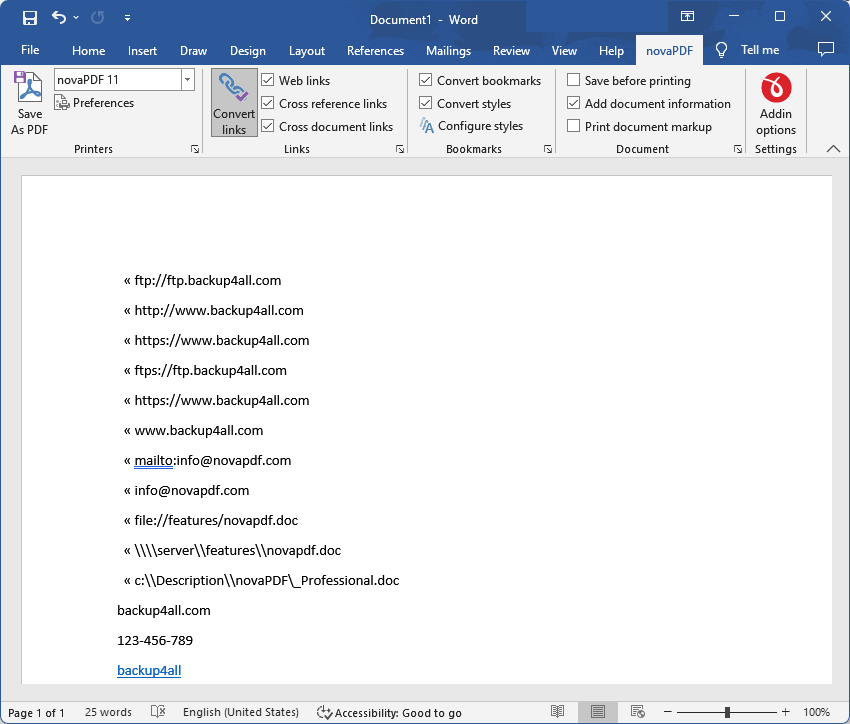
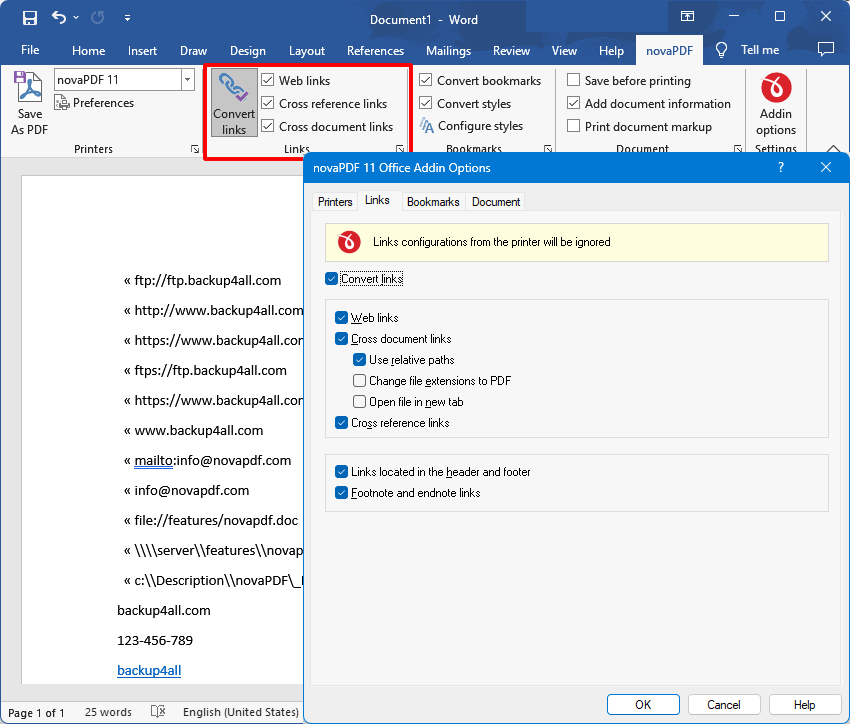
- Click on the Convert links option to enable hyperlink conversion. Optionally you can go to Addin Options and click on the Links tab to access advanced hyperlink conversion options.

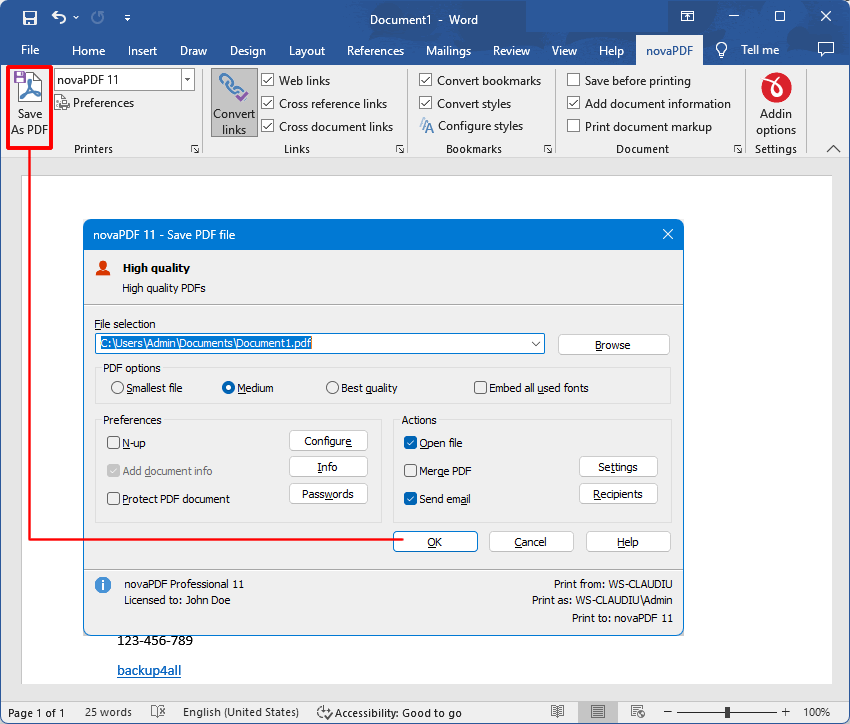
- Click on the Save as PDF button to generate the PDF file. Choose where to save the PDF file and click on OK to save it.

How to add PDF hyperlinks using the novaPDF printer
The novaPDF addin mentioned above only works within Office documents. If you want to add PDF hyperlinks to documents converted from non-Office files, you need to enable link detection in novaPDF and use the regular Print option to convert it.
Enabling the conversion of text that starts with "
https://", "www", "mailto:", "ftp://", "file://" or telephone numbers in your original document to clickable active PDF links can be done by following these steps:- Go to Start and open the novaPDF Getting Started window
- Click on Tools then Manage Profiles to edit the current printing profile
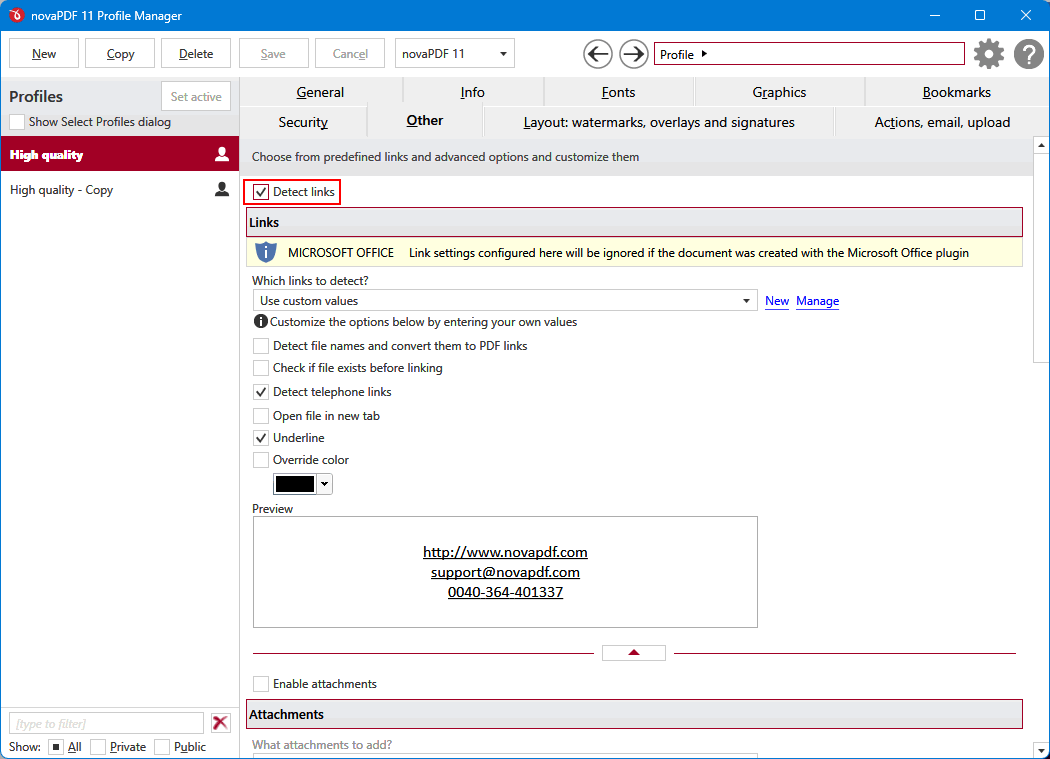
- In the novaPDF Profile Manager window click on the Other tab.
- Enable link detection by checking the Detect links option. If you have in the original document links to local files, those can be detected and converted too by enabling the Detect file names and convert them to PDF links (is recommended to select the Check if file exists before linking option, so you'll be sure the link is valid).
- Optionally you can also configure there how you wish to show the links in the PDF file (border type, style, width, color and font color). Press Save and your preferences will be saved. Further created PDF files will include PDF links.

Example of text that gets converted to active PDF links
If the documents that you print to novaPDF printer contains some text in an URL format, it will be shown in the PDF as a hyperlink. Here are some examples of links that novaPDF recognizes and inserts them as hyperlinks in the PDF file:
- ftp://ftp.backup4all.com
- https://www.backup4all.com
- www.backup4all.com
- mailto:[email protected]
- [email protected]
- file://features/novapdf.doc
- \\server\features\novapdf.doc
- c:\Description\novaPDF_Professional.doc
- 123-456-7890
novaPDF will not convert "hidden links" to PDF links (example: if you have in MS Word a Click Here text that is actually a hyperlink to a web page, then that text will not be clickable in the resulting PDF file), unless you are using the add-ins for Microsoft Word or Excel. Image below shows an example of text that can be converted to clickable links and hidden links that cannot be converted without the add-ins:
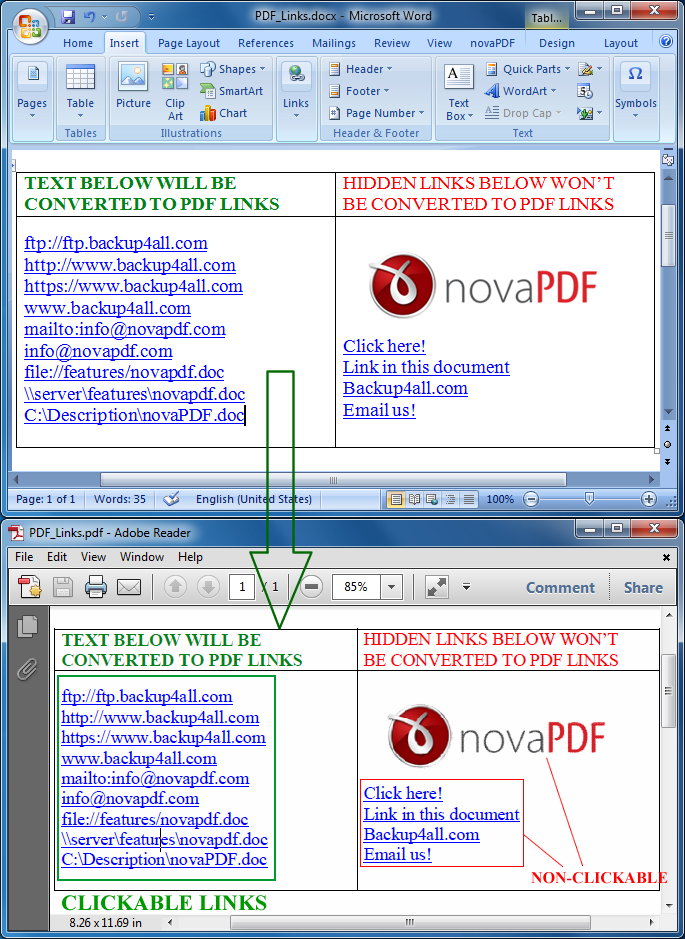
Internal links (hidden links) from a document cannot be converted to active PDF links, because novaPDF "sees" exactly what the application sends to it for printing. Unfortunately, when a program sends information for printing to novaPDF, the internal links (hidden links) are not sent. It's just like trying to click on a link from a printed piece of paper. You can see an example of a PDF created with and without active PDF links by downloading it here: PDF Example - Active PDF Links
Update: Starting with version 7 it is possible to create active PDF links with novaPDF Standard too. Furthermore, add-ins for Microsoft Word and Excel are currently available, which will allow the conversion of the "hidden" hyperlinks described above, but only from the applications they were created for.