


This tutorial shows how to convert Word to PDF. You can open your Word document and with a simple click convert the entire document to PDF for easier sharing by using the addin or the print option.
Microsoft Word is a word processing application part of the Microsoft Office suite. By installing novaPDF you can convert your word documents into PDF files – simply choose novaPDF as a printer and once you click the Print button your word files will be converted to PDF documents. Having your Microsoft Word documents in PDF format is an advantage if you want to send the documents to other users (the user receiving the document does not need Microsoft Word installed), send the documents to your portable devices or print them.
How to convert Word to PDF with the novaPDF addin or the Print option:
Download and install novaPDF on your computer if you haven't done this already by accessing our Download page. During installation, novaPDF gives the option to install an add-in for Microsoft Word (and other Office apps). By default, this is checked and will add another tab called novaPDF that will let users create PDF files directly from the Microsoft Word ribbon menu by simply clicking a button.
Just follow these steps to convert Word to PDF:
- Open the Microsoft Word document (.doc or .docx) you want to convert and click on the novaPDF tab that shows in the ribbon (after you installed novaPDF).

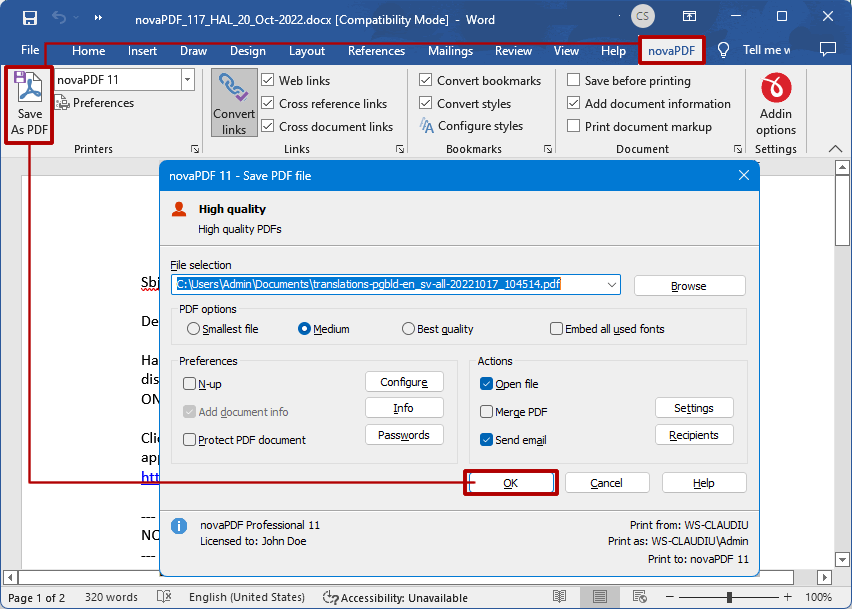
- Click on Save As PDF and you'll be asked for a location where to save the resulting PDF file when you press OK.

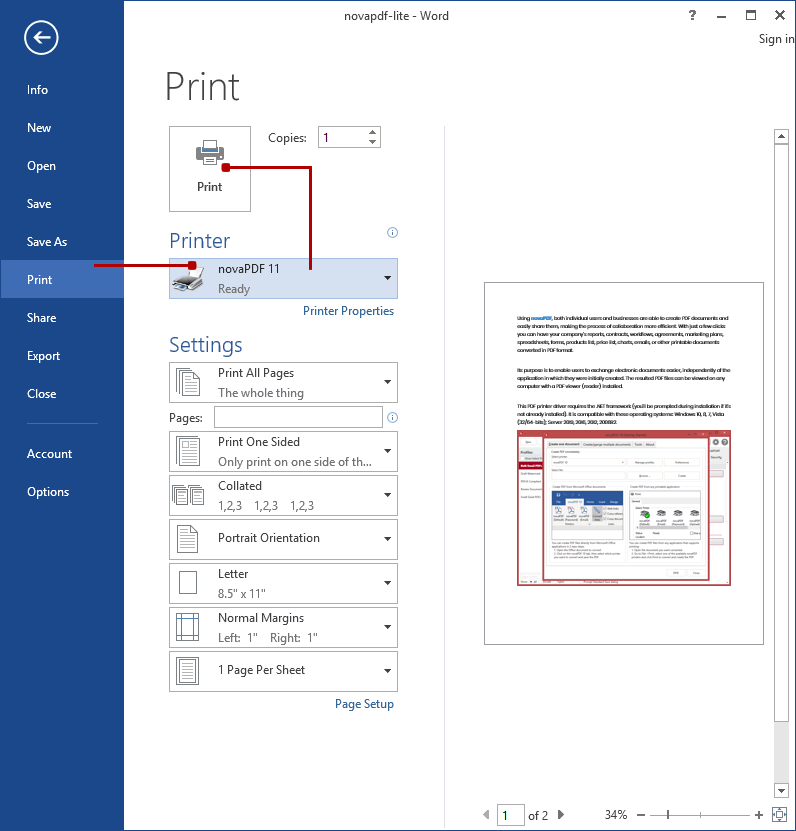
- You can also use the regular Print option if you don't want to use the addon. In your Word document simply go to File->Print and in the Printer section select novaPDF and click on Print to create the PDF.

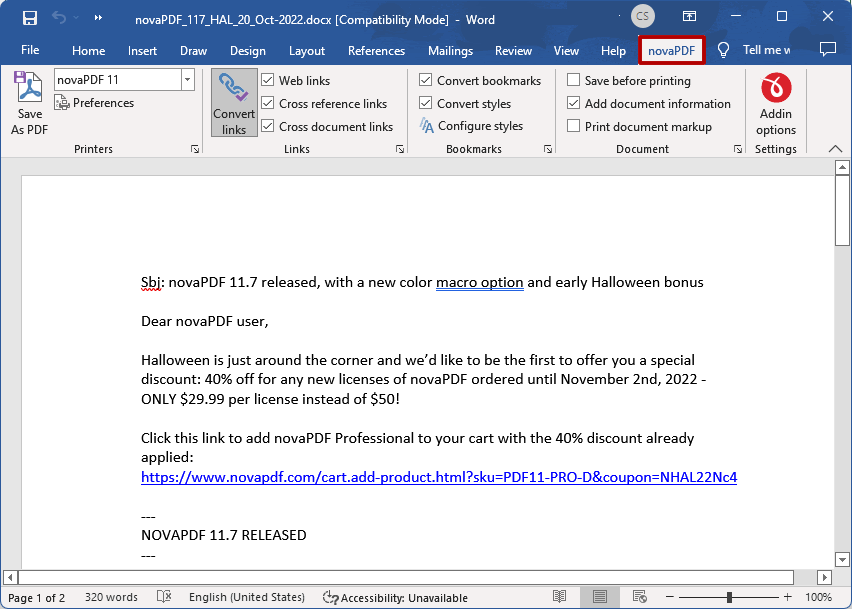
The novaPDF addin for Word comes with multiple advanced options that you can use to configure how the resulting PDF will look like. You can easily change the novaPDF settings, or those of the novaPDF add-in for Microsoft Office by pressing on Settings from the novaPDF tab in the Microsoft Word ribbon menu.
Advanced novaPDF add-in for Word options
The add-in installs itself with default settings, but those can be modified if you need advanced customization of the resulting PDF. These are a few of the extra features you get in the novaPDF Add-in for Word:
- Create multiple printers. With novaPDF you can create as many PDF printers as you want, all sharing the same driver but each could use a different profile.

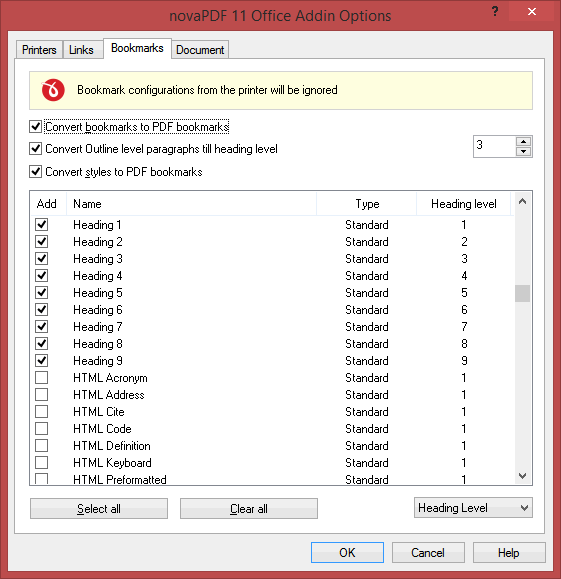
- Convert Word bookmarks to PDF bookmarks. Any bookmarks already defined in your Word document can be converted to PDF bookmarks. You can also convert automatically Word headings into PDF bookmarks.

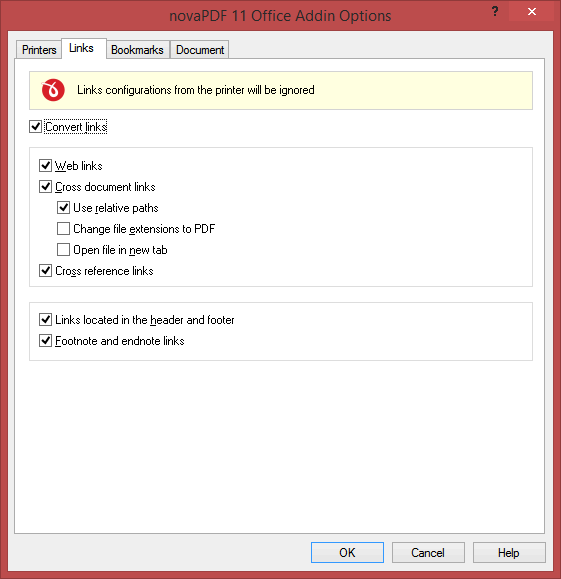
- Customize PDF links. The addin has an entire section that lets you customize how links will be detected from the Word document and converted in the resulting PDF file. You can convert all inks, only web links, document links, open link in new tab, add cross reference links, convert links in the header and footer or footnote/endnote links.

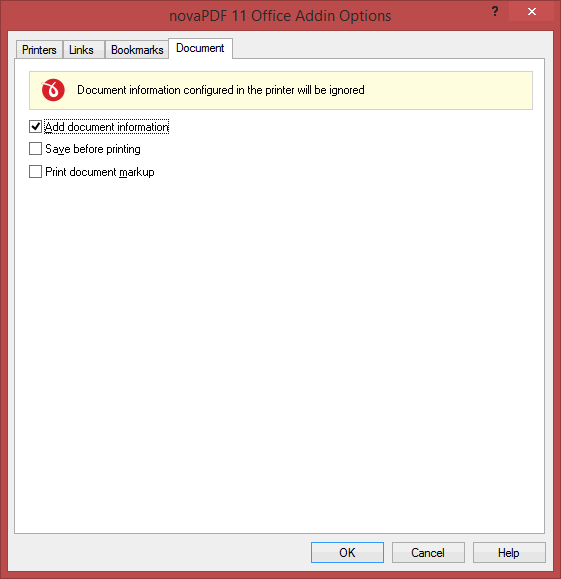
- Save Word document before printing. You can choose if you want to save the Word document before converting it to a PDF (with or without the document information attached).

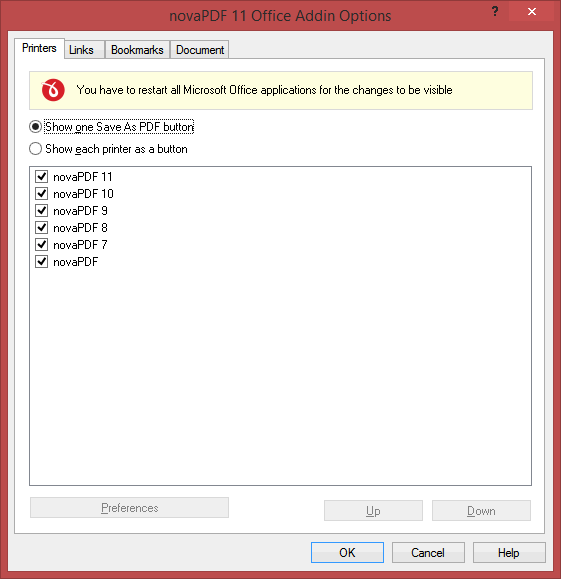
This tutorial shows how to convert Microsoft Office Word documents to PDF files (doc/docx to PDF), if you have suggestions on how to improve this article let us know.