Search:     Advanced search
Browse by category:
Glossary | Contact Us


Convert Visio to PDF

Add comment
Votes: 1
Comments: 0
Summary:
This tutorial shows how to convert a Microsoft Visio file to a PDF . novaPDF is a PDF converter that allows creating PDF files from any Windows application that supports printing. If you don't have novaPDF installed, use the Download page to download and install it.

On this page:
Convert Visio to PDF

Details:
Microsoft Office Visio is a diagramming software used to create business and technical drawings. Once your diagram is finished, if you need to send it for review, physically printing or share it with your team, it's recommended that you convert it to a PDF. Document sharing is easier using PDF files, because the recipient does not need to have Visio installed in order to open the PDF (being also multi-platform, same PDF can be opened both on Windows and Mac powered systems) and by converting it the original design of the diagram remains unaltered. novaPDF is a PDF creator that once installed it offers an option to print your diagrams to PDF files - simply choose novaPDF as a printer and once you click the Print button your Visio diagram will be converted to a PDF.

Convert Visio to PDF

novaPDF is installed as a virtual printer so you can create PDF files simply by printing to it instead of your normal printer. To convert your Microsoft Office Visio diagram to a PDF:
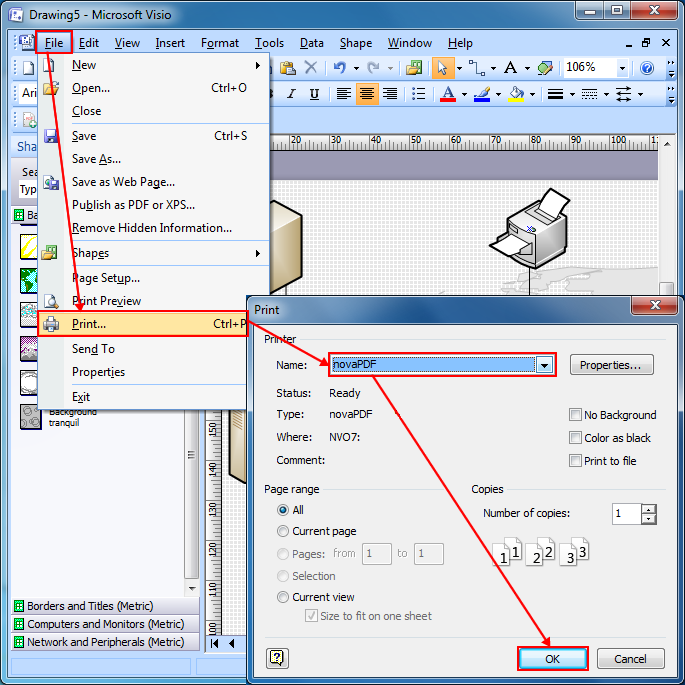
  1. Open Microsoft Office Visio and go to File->Open, browse for the diagram you want converted to PDF and open it
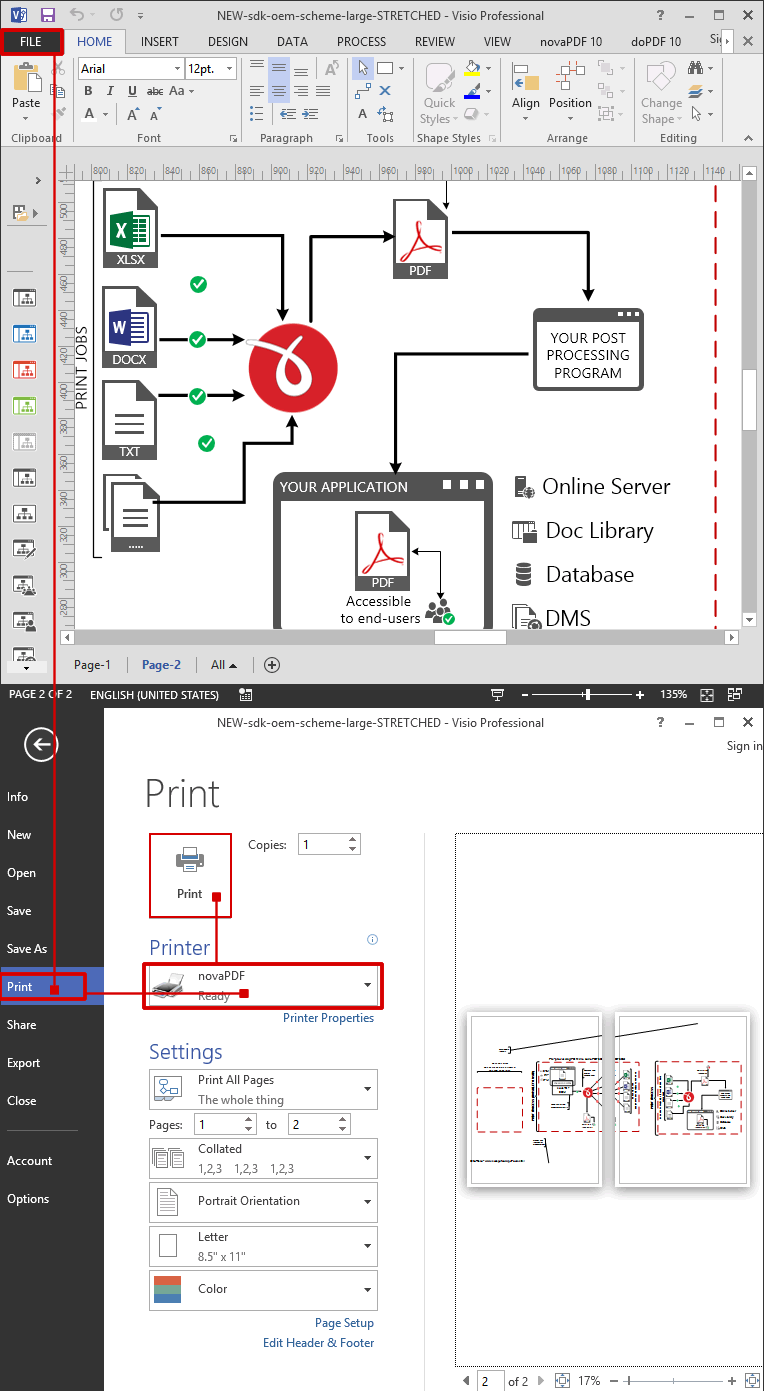
  2. Go to File->Print and in the Printer section select novaPDF
  3. Before creating the PDF file you can adjust novaPDF's settings by using the Properties button (for instance adding document information, using auto-save options, embedding fonts)
  4. Click on OK and choose a location where you want the PDF file saved. After the PDF is created it will be automatically opened in the default PDF viewer (this can be configured too using novaPDF's Properties window).


Applies to:
  • novaPDF Printer 1.x - 5.x
  • Microsoft Office Visio 2000, XP, 2003, 2007
Related searches: Visio to PDF, convert Visio to PDF, how to convert Visio files to PDF, how to convert Visio to PDF, convert Visio file to PDF
Others in this Category
document Convert PowerPoint to PDF (Microsoft PowerPoint presentations to PDF)
document Convert a web page to PDF
document Converting InfoPath forms to PDF with novaPDF
document How to register novaPDF
document What to do if novaPDF does not convert some of the Chinese/Japanese characters correctly
» More articles


RSS

© 2002-2008 Softland. All Rights Reserved.
PDF Creator novaPDF
Create PDF for a paperless office
home Home   contact usContact us   partnershipsPartnerships   bookmarkBookmark   Site updated: 12-Mar-2008
DownloadsDownload

Download, install and use novaPDF. Latest version: 5.4 build 255

Download PDF creator
promotionsSpecial Offers

Current discounts:
- up to 25% for Desktop Editions
- up to 25% for Server Editions
- 20% Academic Discount
- up to 16% for Developer Tools

buyBuy Now
Professional edition $39.95
(Save $10)
Standard edition $29.95
(Save $10)
Lite edition $19.95
(Save $5)
Buy Now
newsLatest News

novaPDF 5.4 released
February 11, 2008

What’s new (read more):
 » Added Copy Text/Image Watermarks dialog
 » Added "Lookup Address" option when sending emails
 » Corrected rotated and vertical texts conversion
 » Corrected conversion from WordArt, MS Word backgrounds and MS Visio drawings
 » Unistaller deletes now the driver files

newsletter News via Email | rss feed News via RSS
sdkDeveloper Tools

novaPDF SDK is a software development toolkit that can be used by software developers and programmers to add the ability to create PDF files in their applications.
novaPDF OEM is a PDF solution that programmers can use to generate PDF files that will be post-processed by their applications. […]

Reviews & User QuotesPDF Creator Reviews

"novaPDF is a really neat tool. Basically, it’s a PDF printer driver that prints to a PDF file instead of paper.

See more reviews about nova PDF
[…] novaPDF is a great product that works without forcing the user to configure anything. The convenience alone is worth the money." […]

Jason Pullara, Editor
Currently supported languagesLanguages

News:
- Finnish and Arabic languages added.
- Spanish, French, Swedish and Chinese Traditional languages updated.

Help us translate novaPDF and we will give you licenses for novaPDF Professional and mention you on the Languages page. […]

awardsAwards

novaPDF received the Editor’s Pick from Soft32, a major download site:

PDF creator reviews

See the Awards page for more ratings.

knowledgebaseKnowledgebase articles

Latest articles on how to:
 » Create PDF files
 » Convert JPG to PDF
 » Convert Powerpoint to PDF
 » Convert Publisher to PDF
 » Convert web pages to PDF
Full article list in the knowledgebase.